Course Catalog
Photography for Stock Photos
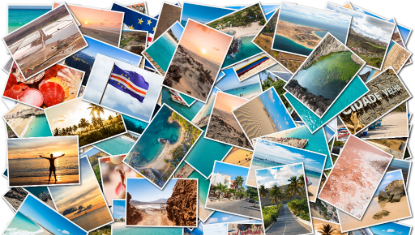
Imagine seeing your photos featured on websites across the Internet, accompanying web pages in various languages from around the world! This class is for people who want to take their photos into the stock photo realm. You will learn what types of photos are in demand, how to give them a professional look, and how to read the tea leaves of upcoming trends so you can get your photos out there before everyone else! Using your camera or iPhone, you will be given tips and instruction on composition, photography skills, subject matter, and researching and recognizing what’s hot before the crowd figures it out first. The instructor is an accomplished stock photographer on Unsplash.com. This is a class for all levels of photographers: from beginners to more advanced. The course will include "field trips” wherein we meet in places around town or in the area to get photos. You will need to have a DSLR camera, mirrorless camera, quality point-and-shoot, or a smartphone with good camera capabilities for this course.
Travel Stock Phtotography
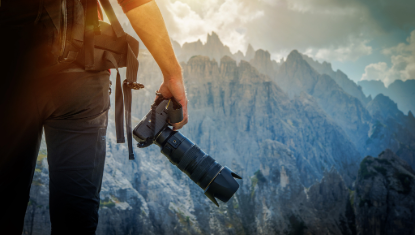
Do you love to travel? Did you know that your travel photos are desired by websites all over the world? Come learn how to get better photos to share with others through Unsplash.com! Even if you just want inspiration and opportunities to take more photos (and aren’t seeking to become a stock photographer), this is the class for you! Notice how the photos on this travel webpage are all about the experience of travel: https://unsplash.com/t/travelHave you taken photos like that? Now come take some more, as we practice travel photography locally and then travel together on an optional weekend trip to Yellowstone or Grand Teton! The trip will depend on class interest and will be a separate cost from the course fee (but will be kept economical). The class is geared toward photographers with at least some experience but beginners are encouraged to enroll and practice with their camera before the course begins (search for free tutorials online for your specific camera). Check out the instructor’s Unsplash pagehere:https://unsplash.com/@judy_beth_morris_idaho
Video Editing Crash Course
Need to learn video editing fast? This six-week, 12-hour intensive course will get you there, using Adobe Premiere Pro or Final Cut Pro (or free programs ShotCut or iMovie, depending on the students’ needs). High-quality video and audio clips will be provided to you to practice your skills and build short example projects in the areas of public relations, narrative video, cinematic wedding video, and TV news packages. Skills to be covered include working with multiple audio and video tracks, transitions and opacity, titles and captions, voice-overs, visual story-telling through intentional editing, and color correction. Students will be editing in Canva, an online video editing program. Required Material: A high-speed, high-capacity 250 GB (or more) external hard drive (such as UnionSine 250GB 2.5” Ultra Slim Portable External Hard Drive HDD-USB 3.0 for PC, Mac)(Please label & name all hardware and media),Headset or earbuds (to edit video individually on computers during class, and to watch tutorials prepared for this course).